













How do network bands affect “compatible but slow” performance?






How do network bands affect “compatible but slow” performance?

How do network bands affect “compatible but slow” performance?
A device may accept the eSIM yet underperform if it lacks common LTE/5G bands used in your destination.
1. Set Network Selection = Automatic first to let the device pick the best partner.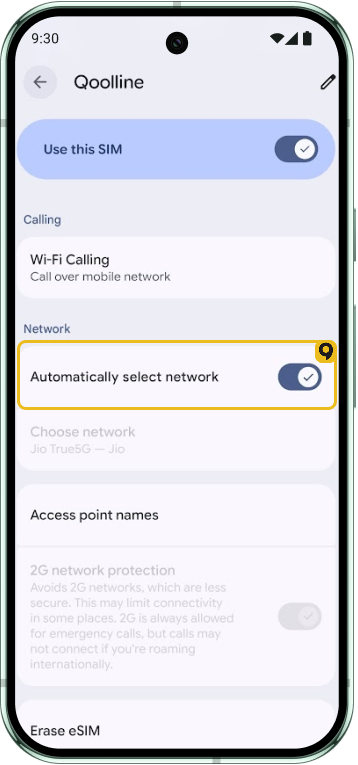
2. If speeds vary, try Manual selection and test another listed partner.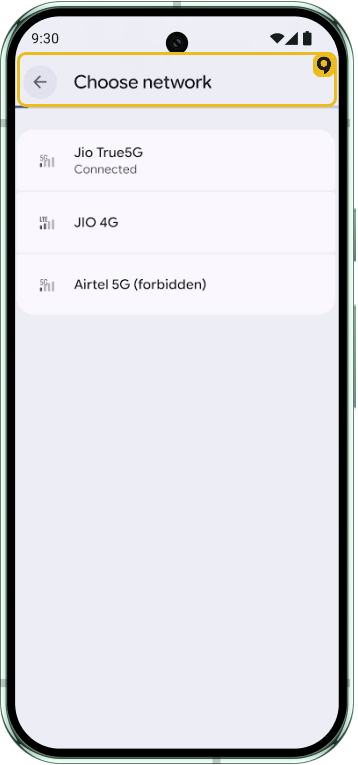
3. Where fringe 5G causes flapping, prefer LTE/4G temporarily for stability.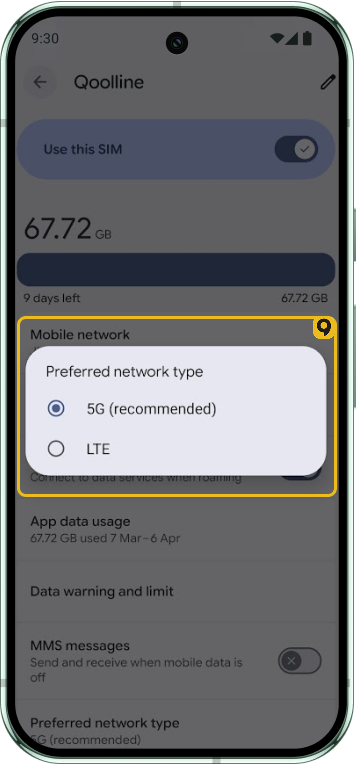
Performance depends on local radio bands and coverage. Manual partner selection can stabilize speeds in many cases.
iOS
A device may accept the eSIM yet underperform if it lacks common LTE/5G bands used in your destination.
1. Set Network Selection = Automatic first to let the device pick the best partner.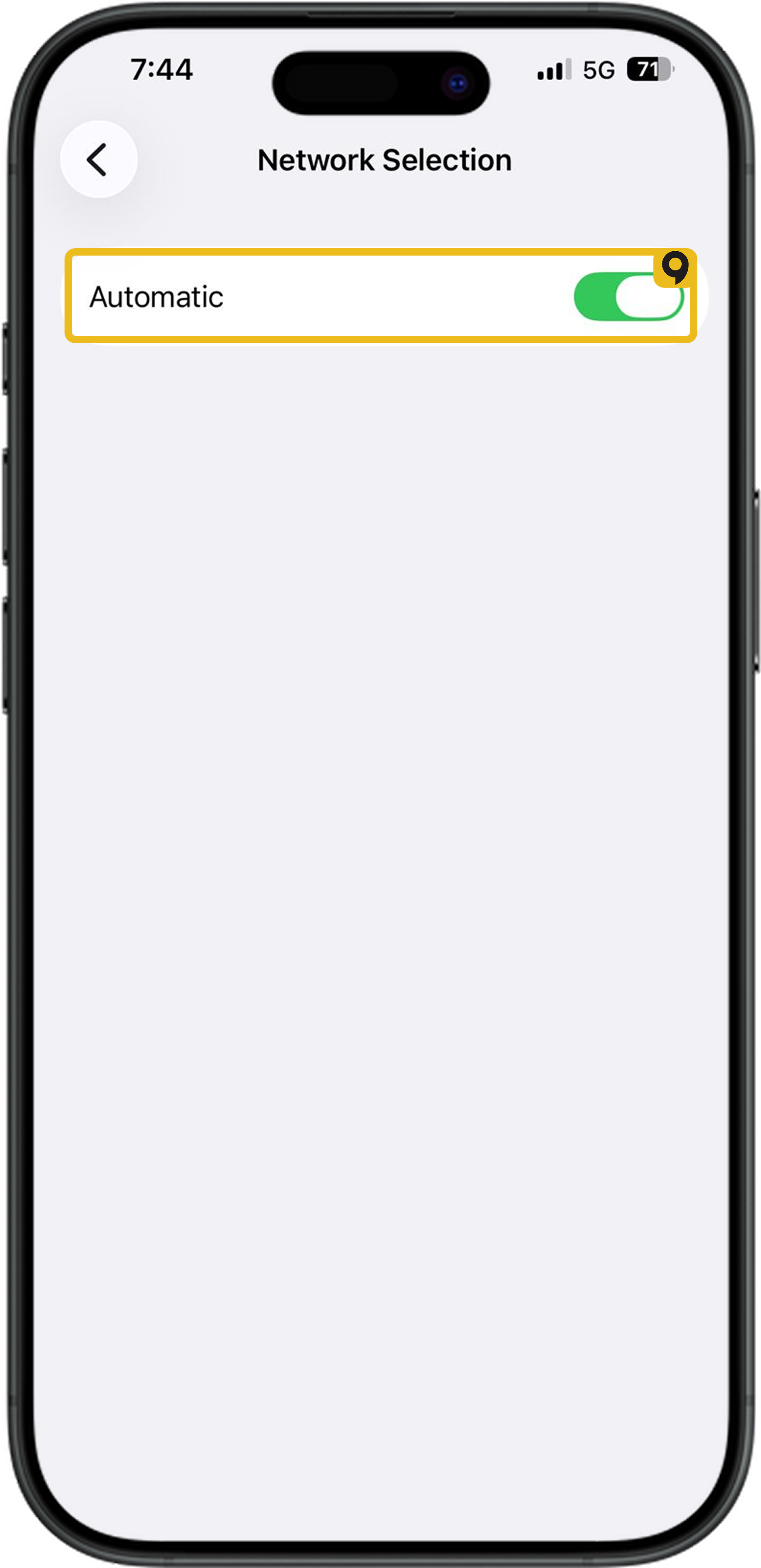
2. If speeds vary, try Manual selection and test another listed partner.
3. Where fringe 5G causes flapping, prefer LTE/4G temporarily for stability.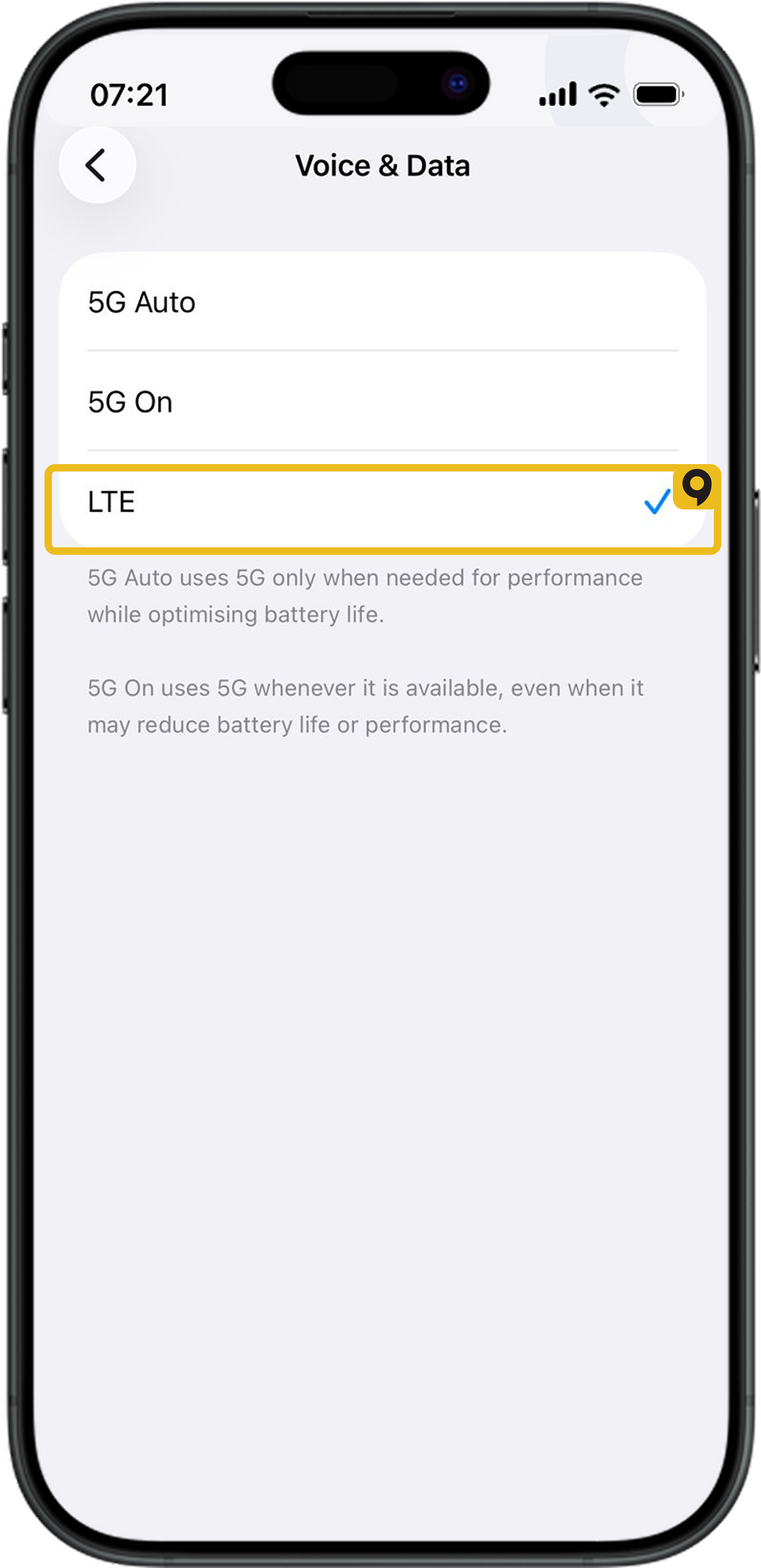
Performance depends on local radio bands and coverage. Manual partner selection can stabilize speeds in many cases.
Which Devices Support eSIM?

List of devices supporting eSIM
Can I Install the Same Qoolline eSIM on Multiple Devices?
Learn why Qoolline eSIMs are limited to single-device use. Understand how eSIM activation works, what happens if you remove the eSIM, and how to handle device upgrades. Get expert tips to ensure a smooth eSIM experience.
Can I Install the Same Qoolline eSIM on Multiple Devices?
Understand why a Qoolline eSIM is limited to one device and learn about the support available if you need assistance.