













I don’t see “Add eSIM” in Settings. Is my device incompatible?






I don’t see “Add eSIM” in Settings. Is my device incompatible?

I don’t see “Add eSIM” in Settings. Is my device incompatible?
Missing menus often indicate disabled eSIM support or a configuration toggle hiding it.
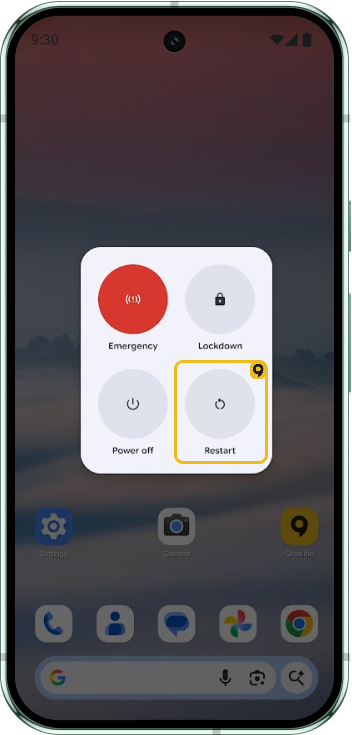
1. Update iOS/Android and restart.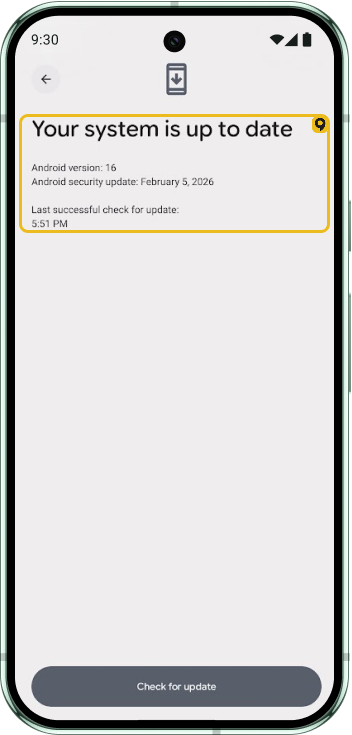
2.Remove outdated carrier configuration profiles.
3. On work phones, confirm MDM allows Add/Remove eSIM.
4. Search for exact model number/SKU to confirm eSIM capability for your region.
If the option remains absent after updates and checks, the device/variant likely doesn’t support eSIM.
iOS
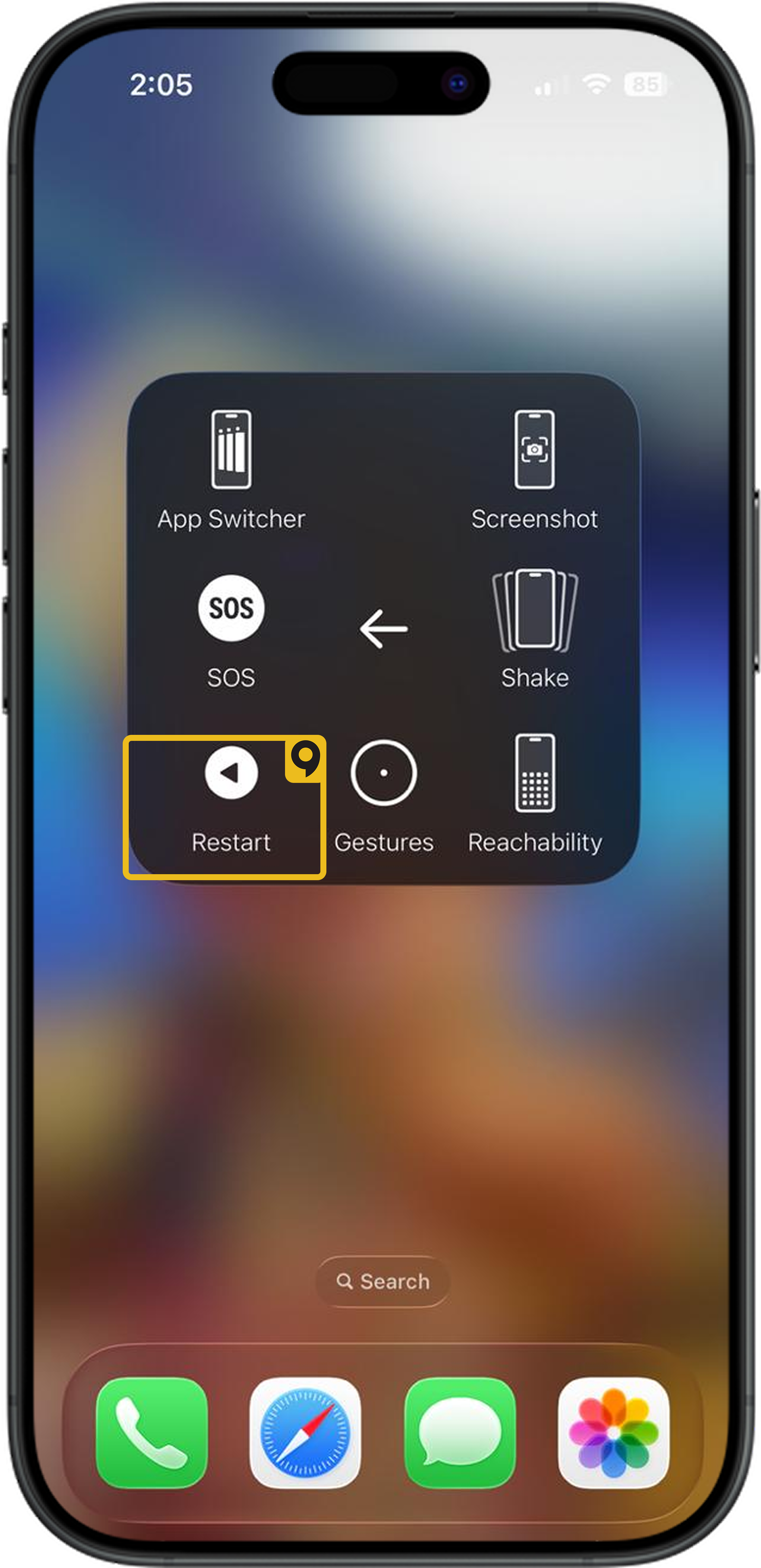
1. Update iOS/Android and restart.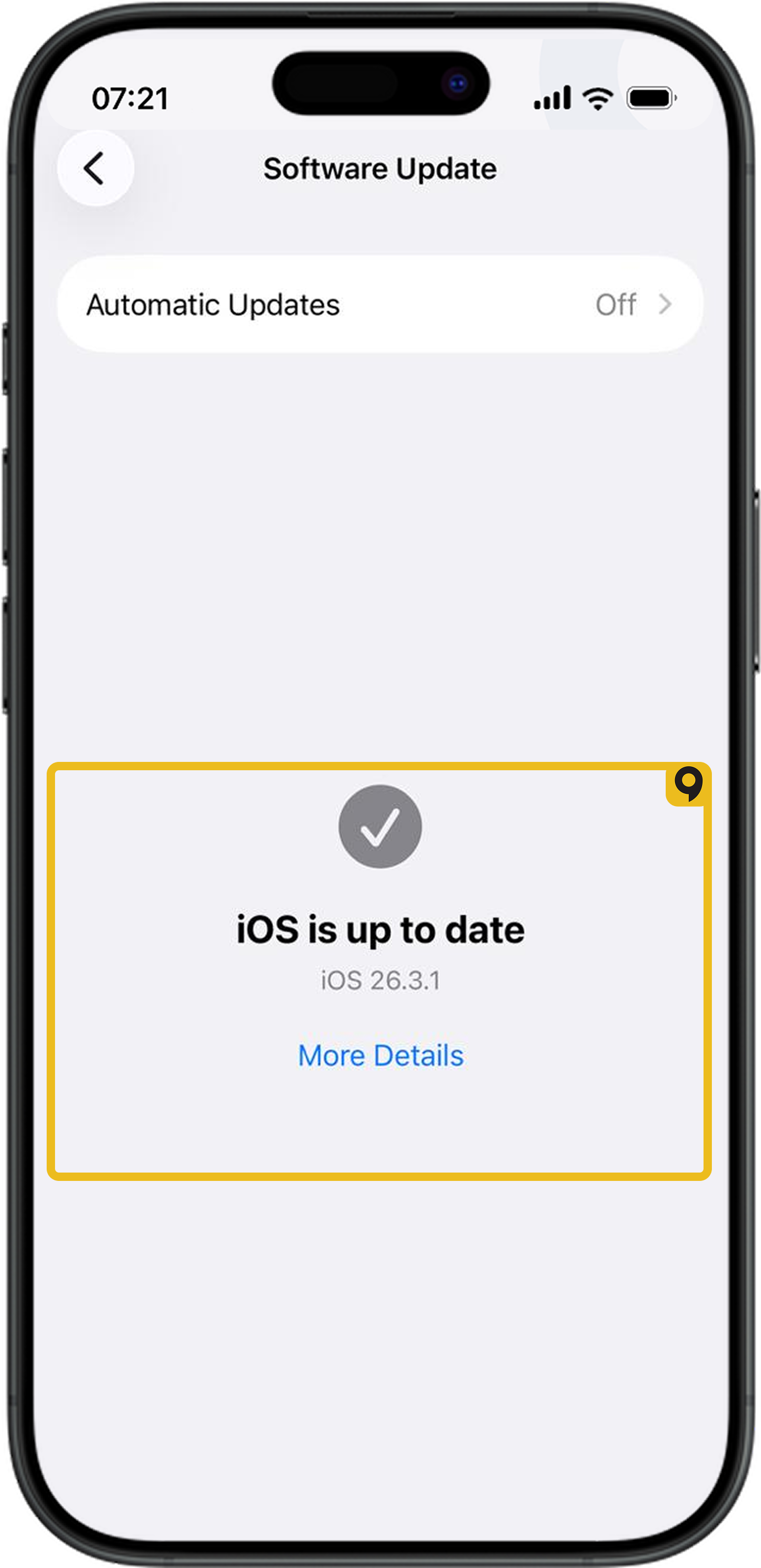
2.Remove outdated carrier configuration profiles.
3. On work phones, confirm MDM allows Add/Remove eSIM.
4. Search for exact model number/SKU to confirm eSIM capability for your region.
If the option remains absent after updates and checks, the device/variant likely doesn’t support eSIM.
Which Devices Support eSIM?

List of devices supporting eSIM
Can I Install the Same Qoolline eSIM on Multiple Devices?
Learn why Qoolline eSIMs are limited to single-device use. Understand how eSIM activation works, what happens if you remove the eSIM, and how to handle device upgrades. Get expert tips to ensure a smooth eSIM experience.
Can I Install the Same Qoolline eSIM on Multiple Devices?
Understand why a Qoolline eSIM is limited to one device and learn about the support available if you need assistance.