













How do I know if I am on 5G or 4G with Qoolline?






How do I know if I am on 5G or 4G with Qoolline?

How do I know if I am on 5G or 4G with Qoolline?
Your status bar shows the current radio. You can also check the preferred network mode in settings.
iOS
1. Look for 5G/5G+ or LTE/4G in the status bar. 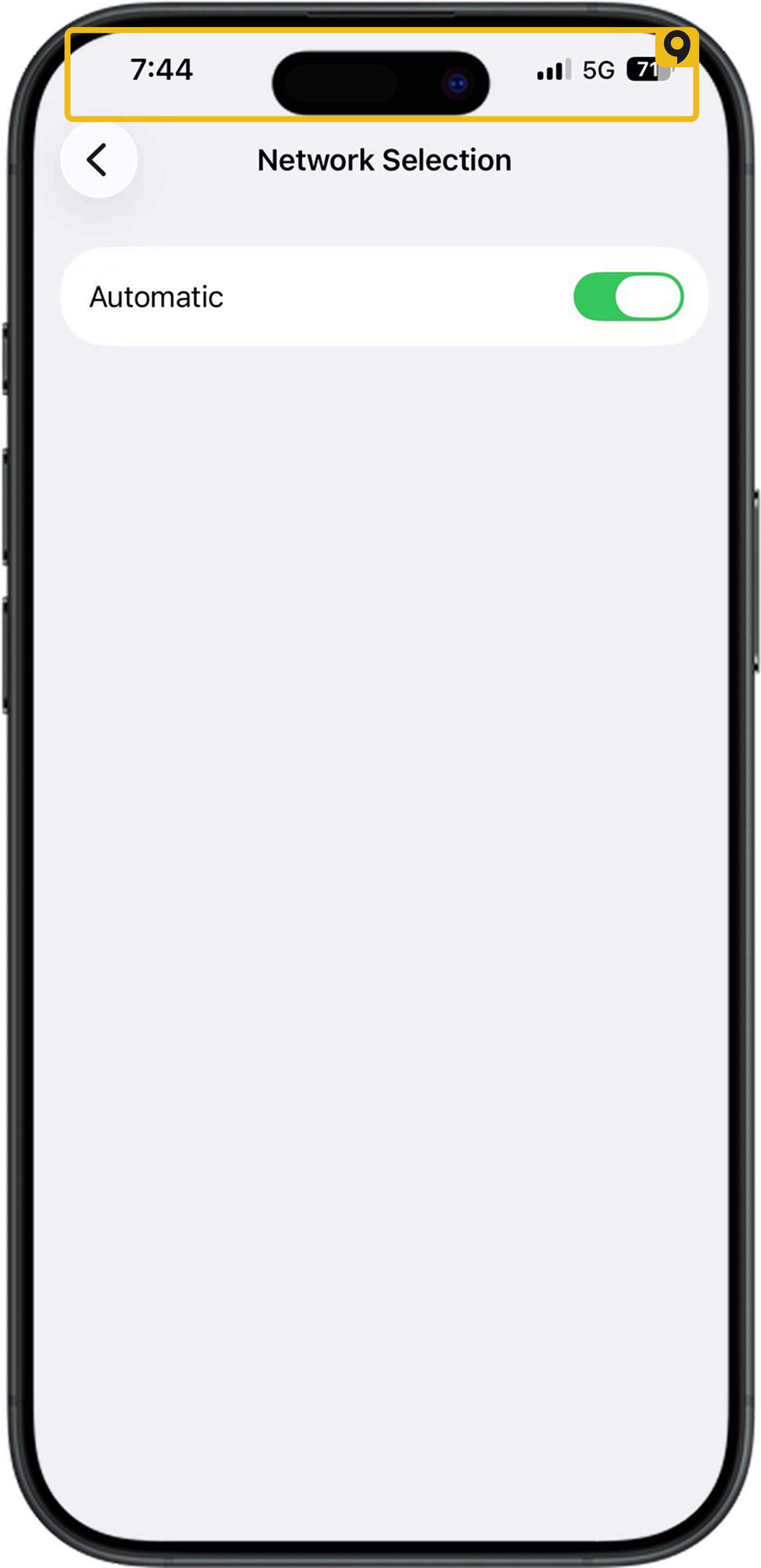
2. iOS: Settings → Cellular → Qoolline → Voice & Data.
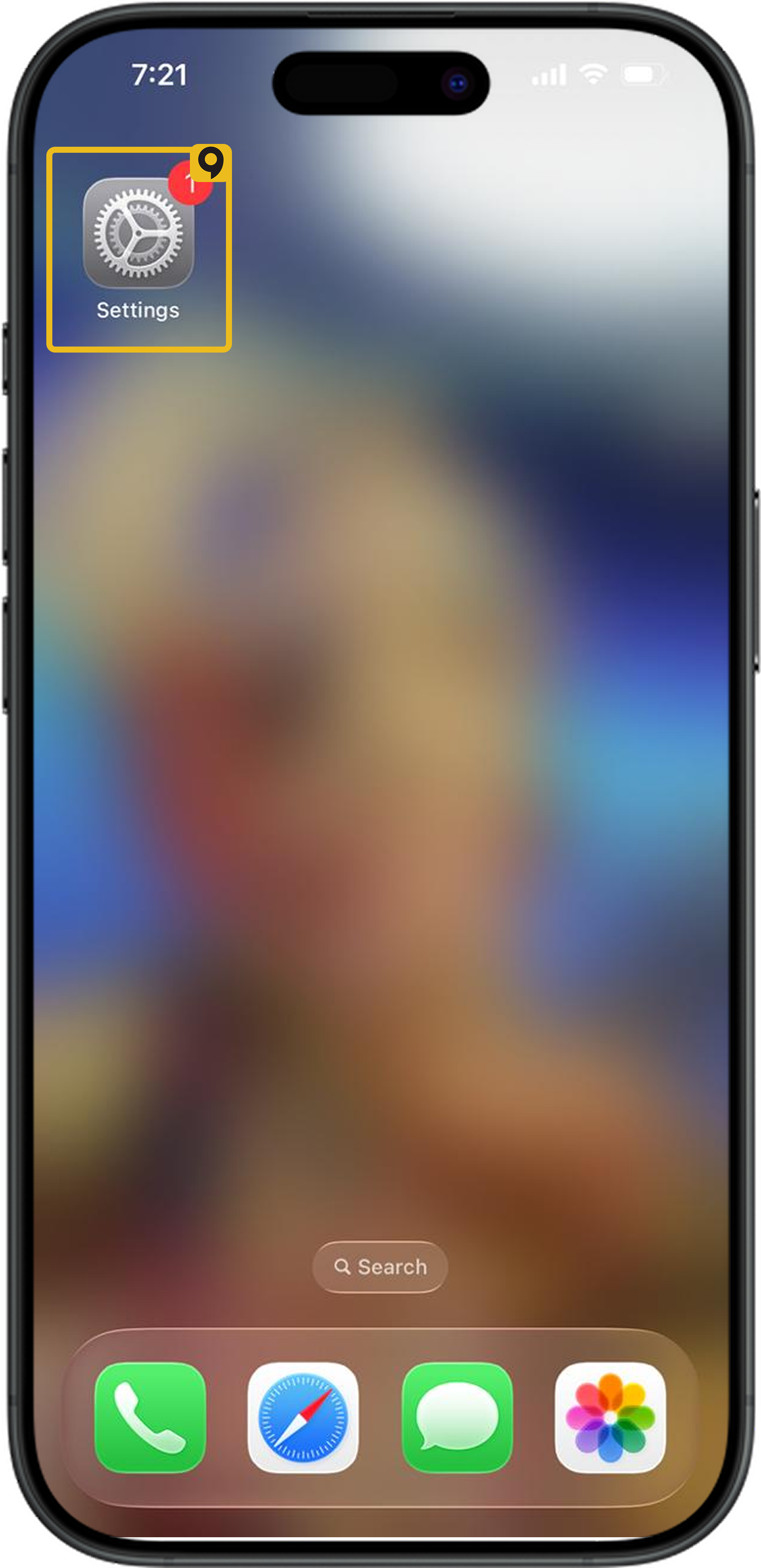
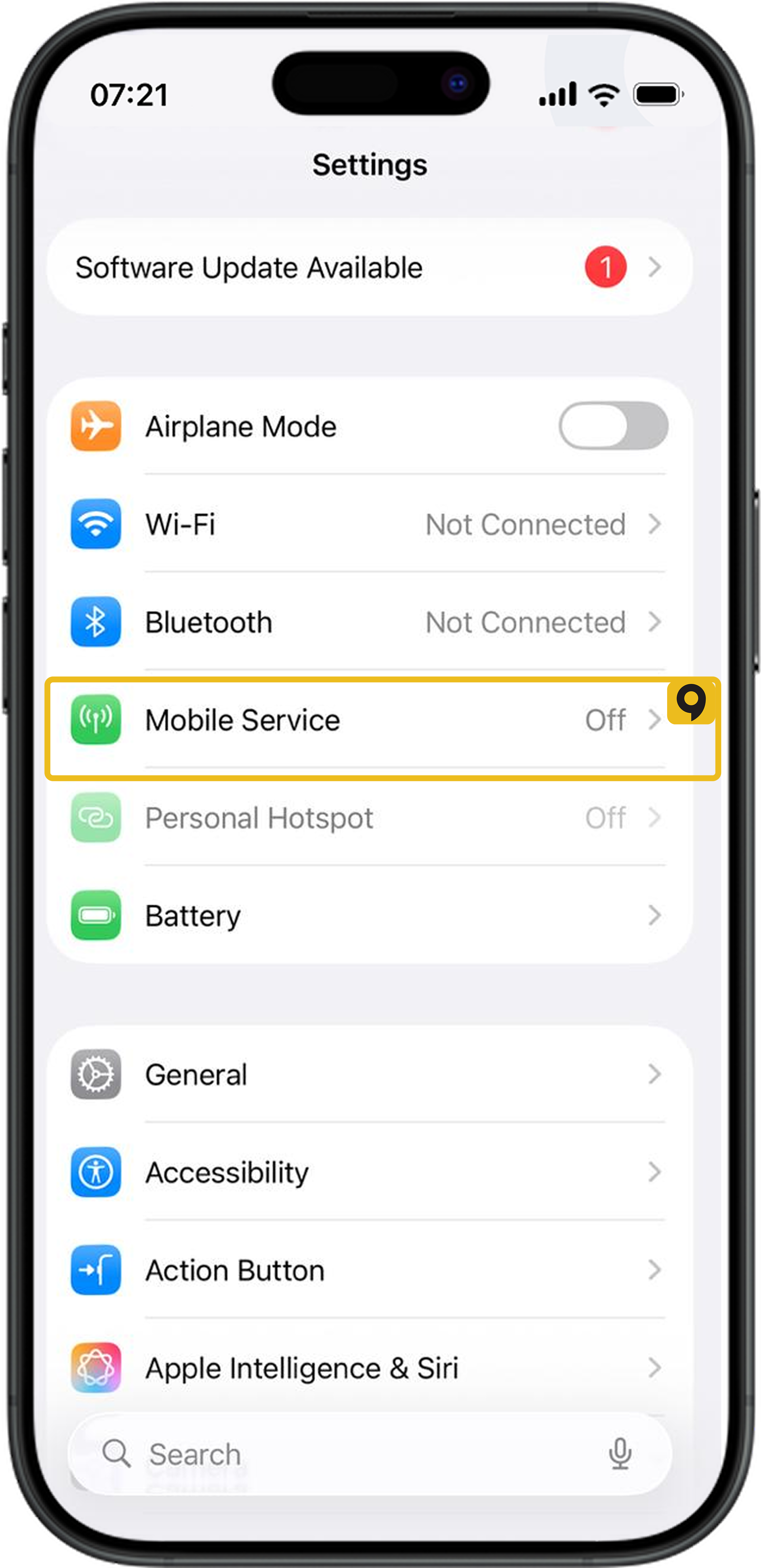
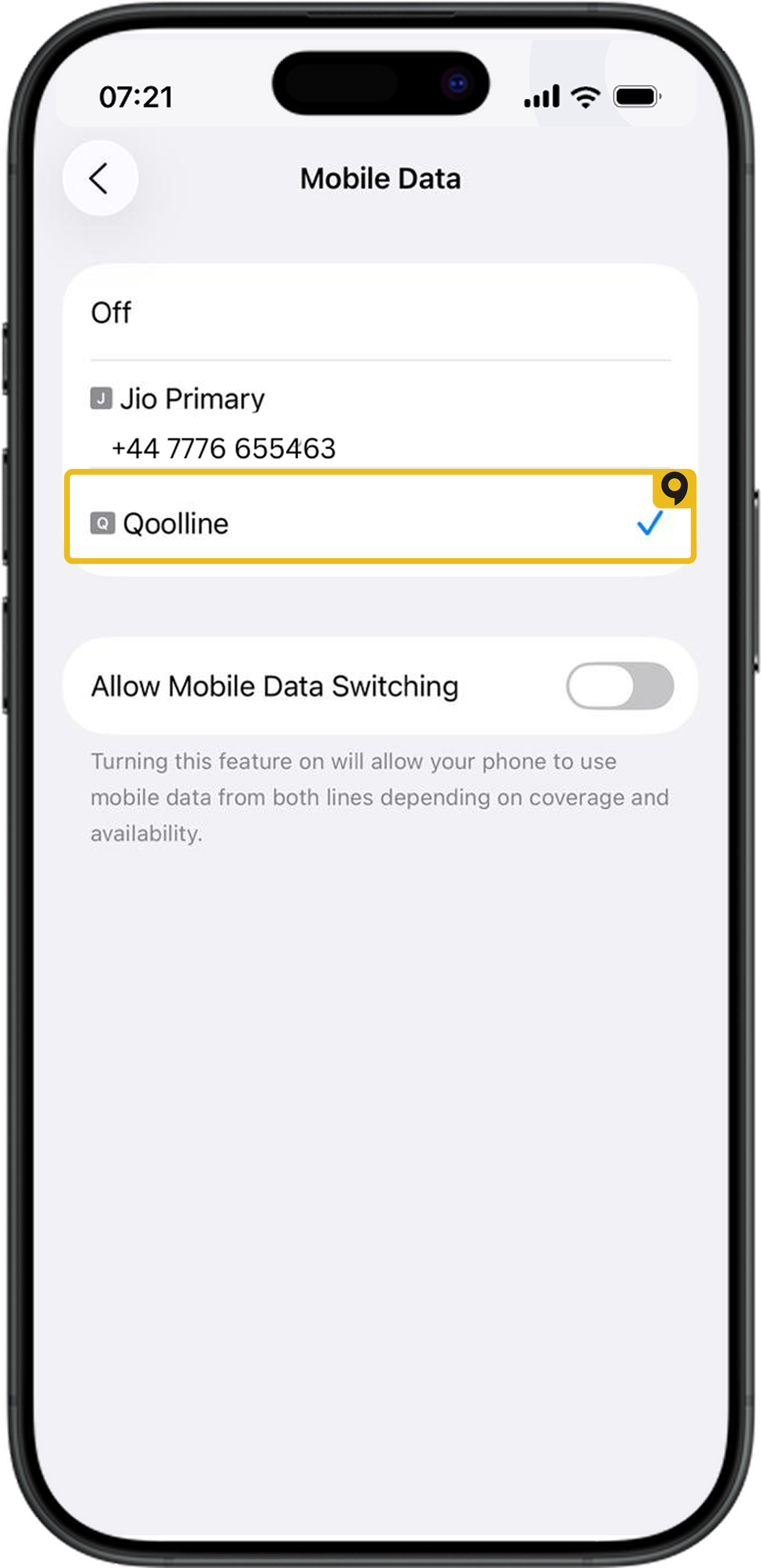
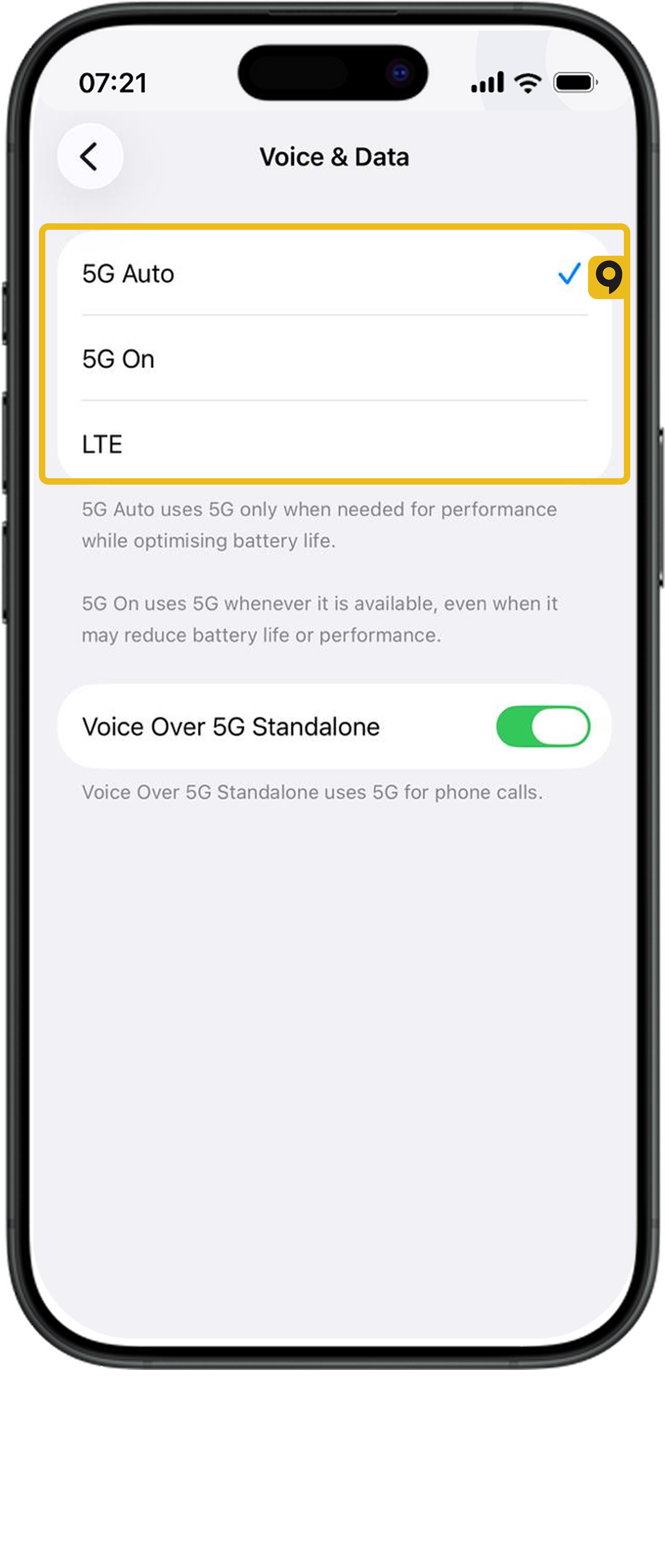
3. Android: Settings → Network/Internet → Preferred network type.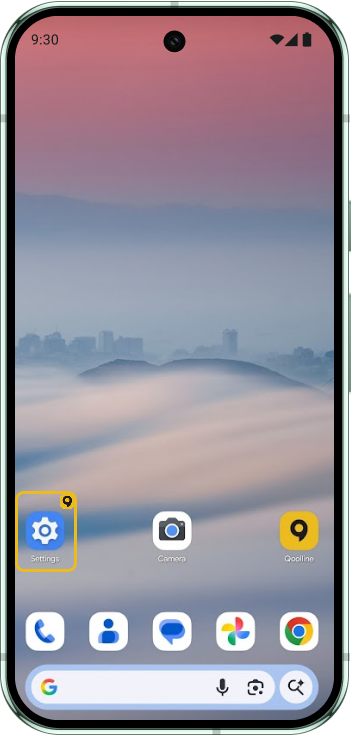
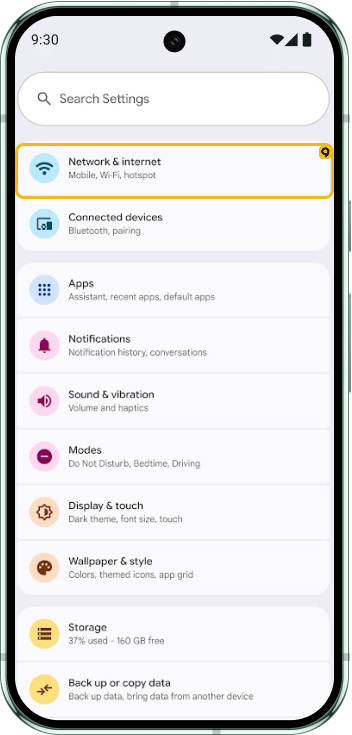
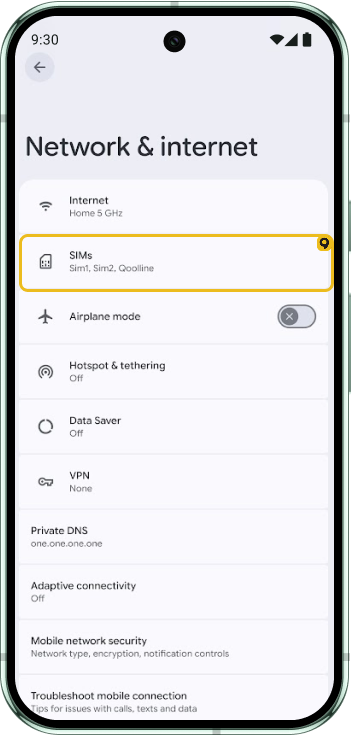
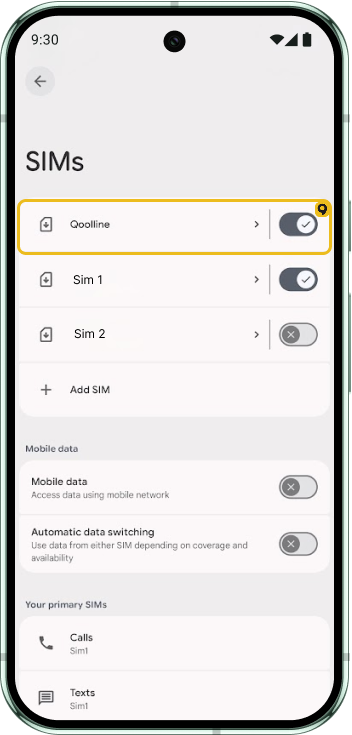
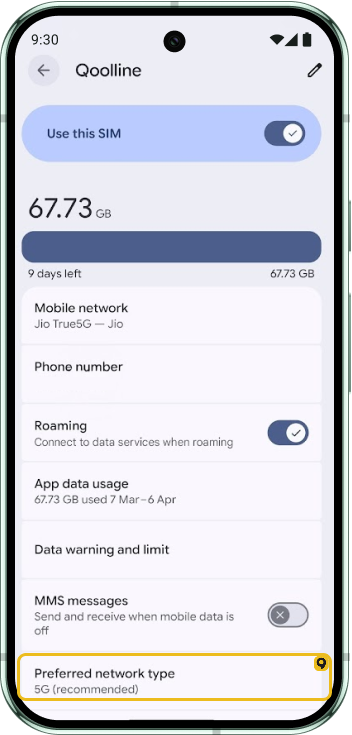
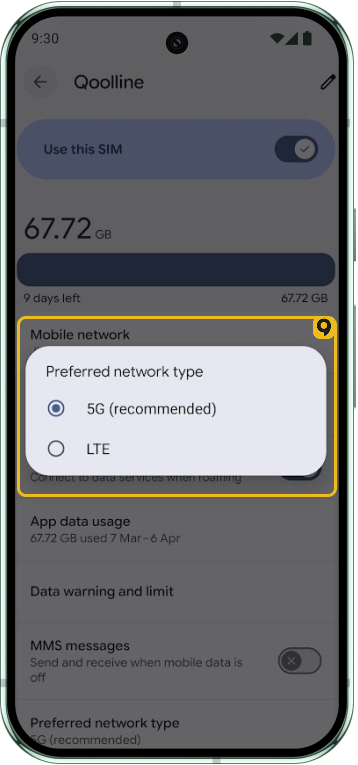
If 5G is unstable, forcing LTE can improve battery life and consistency.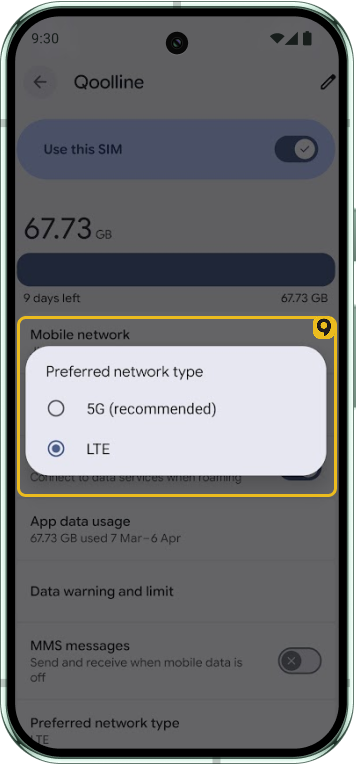
Can I Receive Phone Calls on My Primary Number While Using Qoolline eSIM?

Learn how to receive calls on your primary number while using Qoolline eSIM, including setup steps and important considerations for Dual SIM use.
Can I Access All Apps and Websites with Qoolline eSIM Mobile Data?
Find out if you can access all apps and websites using Qoolline eSIM mobile data, and understand potential limitations that may apply.
How to Check Your Current Data Usage from Qoolline App and Device Settings
Learn how to monitor your data usage for Qoolline eSIM on both iPhone and Android devices through the app and device settings to stay within your data plan.