













My network speed has slowed down.






My network speed has slowed down.

Network Speed Slowdown
If you experience a noticeable slowdown in your network speed, try turning your eSIM off and on again
iOS
Step 1 - Turn off your Qoolline eSIM
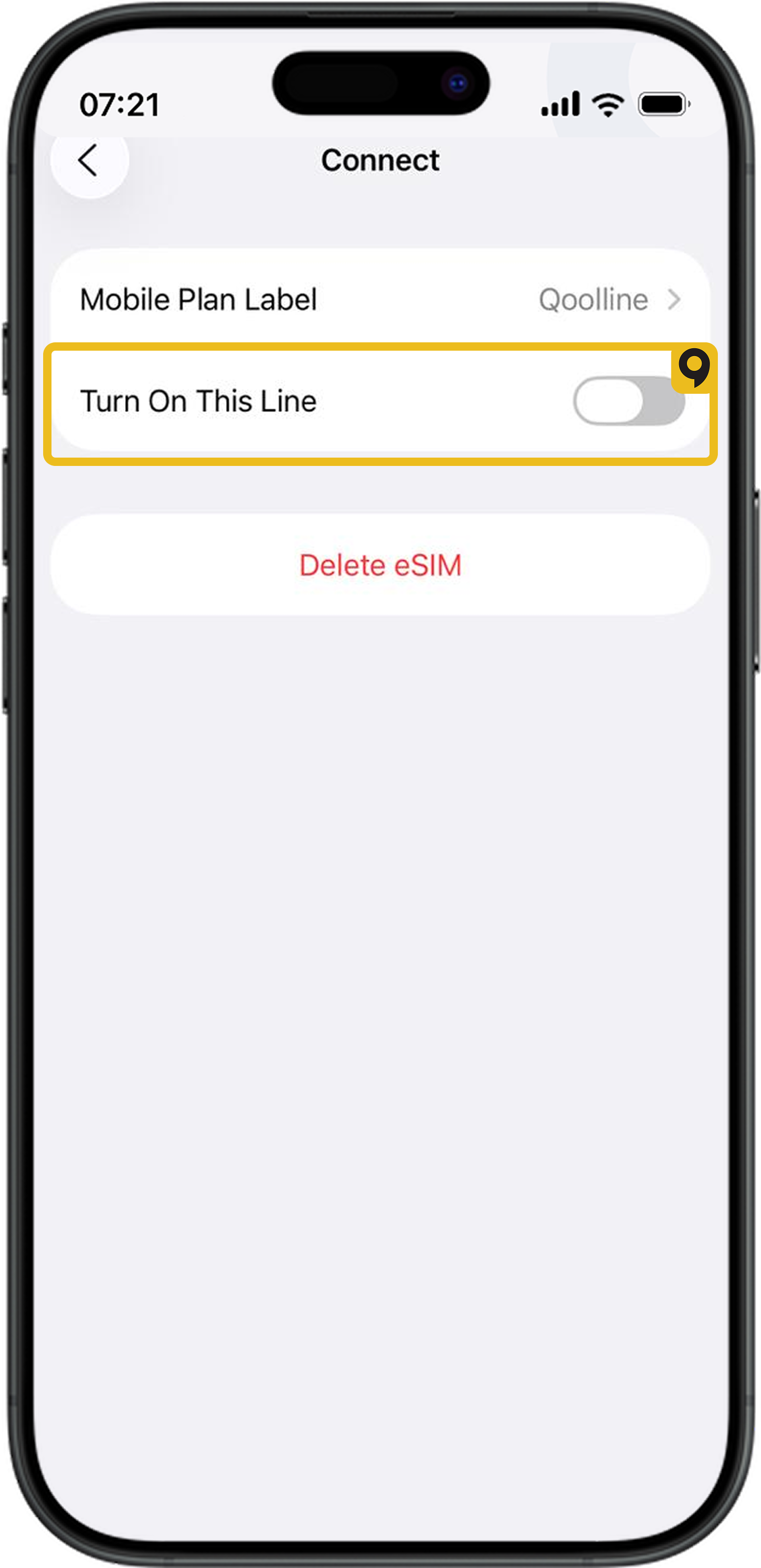
Step 2 - Turn on your Qoolline eSIM
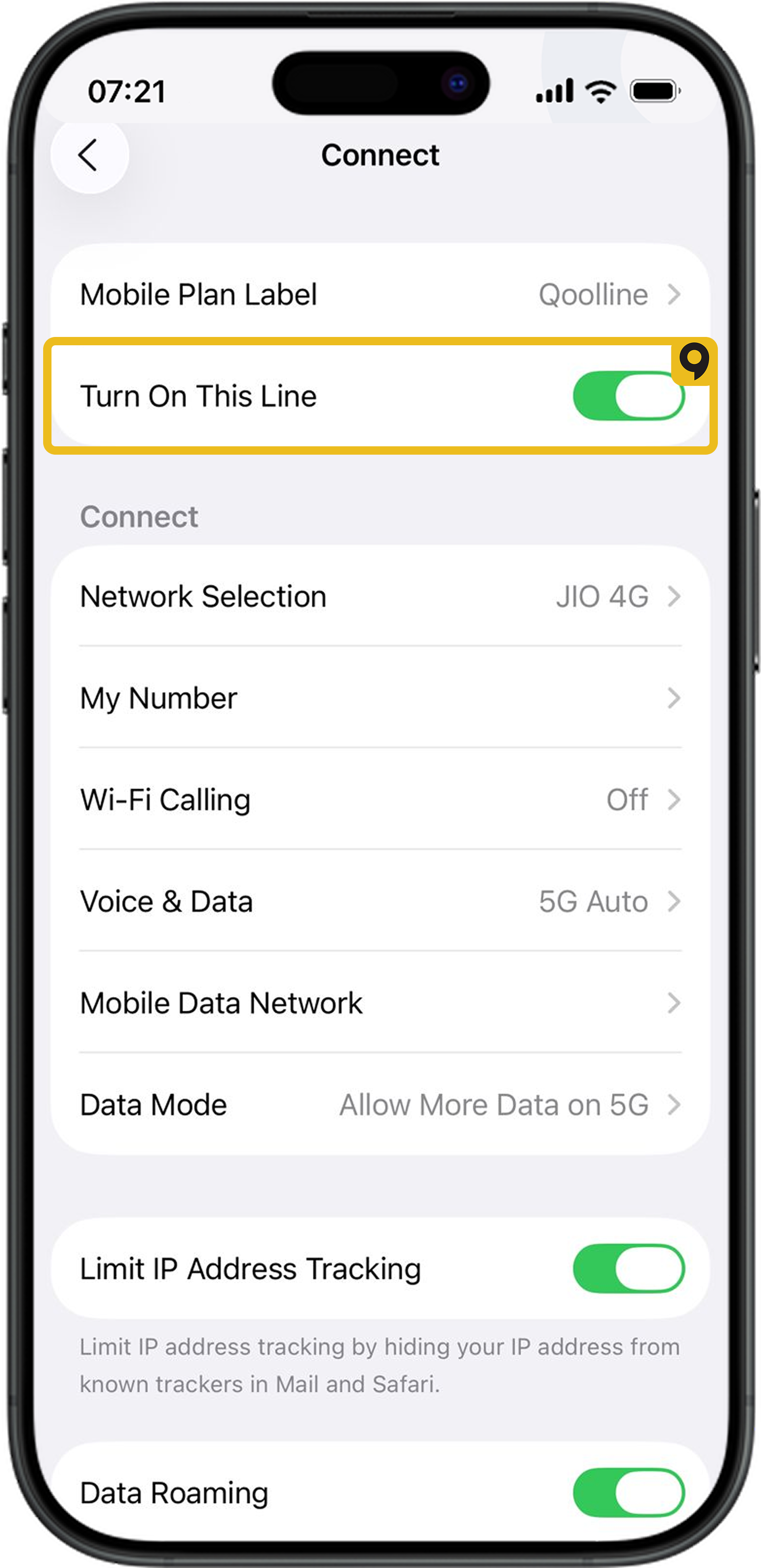
Android
Step 1 - Turn off your Qoolline eSIM
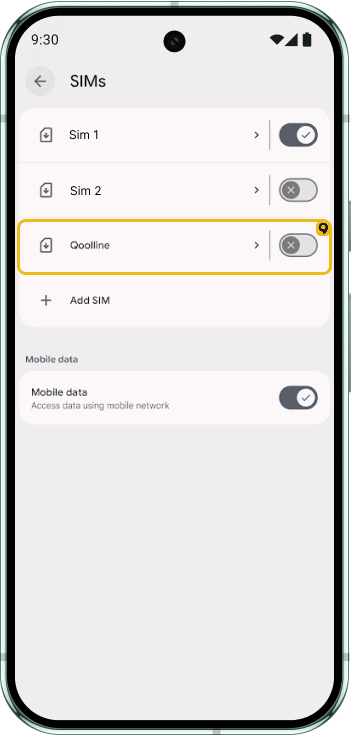
Step 2 - Turn on your Qoolline eSIM
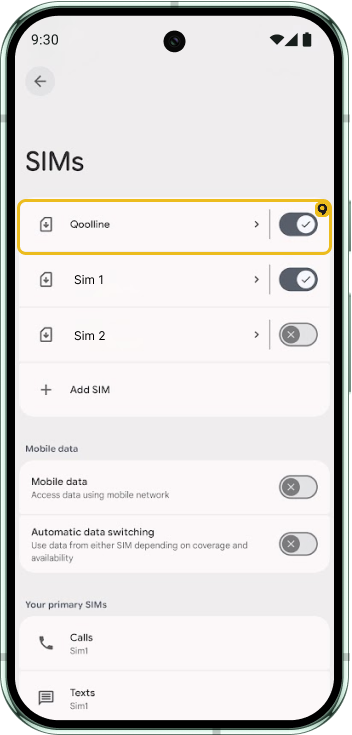
Your eSIM will then reconnect to the best signal in the current location.
Please note that connection speed varies based on the local carrier's coverage, network traffic, and service prioritisation.
Experiencing "Cellular Plans Cannot be Added" Error on Qoolline eSIM? Here’s How to Fix It

Learn how to resolve the "Cellular Plans From This Carrier Cannot be Added" error on your iPhone with simple troubleshooting steps for your Qoolline eSIM.
Quick Fix for 'Unable to Complete Cellular Plan Change' Error on Qoolline eSIM
Learn how to resolve the "Unable to Complete Cellular Plan Change" error for your Qoolline eSIM on iOS with quick, effective troubleshooting steps.
"This Code is No Longer Valid" Error: Quick Solutions for Qoolline eSIM Setup
Learn how to troubleshoot and fix the "This code is no longer valid" error when adding a Qoolline eSIM, with easy steps to ensure a smooth setup.