













How to Fix “This Code Is No Longer Valid” Error on iPhone with Qoolline eSIM






How to Fix “This Code Is No Longer Valid” Error on iPhone with Qoolline eSIM

Error: “This Code Is No Longer Valid” on iPhone
If you see the message “This code is no longer valid. Contact your carrier for more information.” when trying to activate your Qoolline eSIM, follow the steps below to resolve the issue.
Solution
1. Check Your Internet Connection
Make sure your iPhone has a stable Wi-Fi or cellular connection during the eSIM installation process.
• An active internet connection is required to verify and activate your eSIM.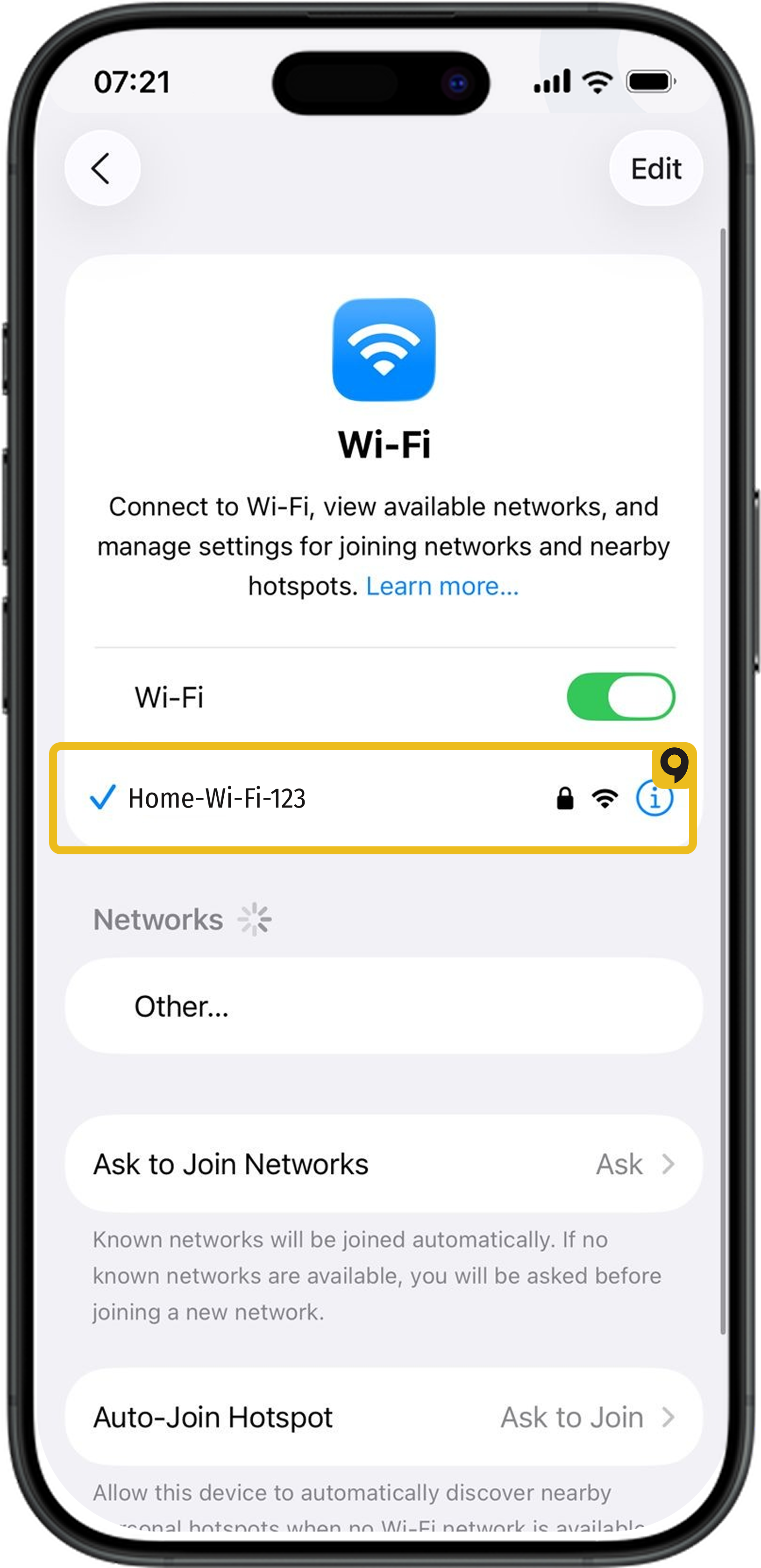
2. eSIM Might Already Be Installed
In many cases, the Qoolline eSIM is already installed on your phone after scanning the QR code, even if the error message appears. To verify:
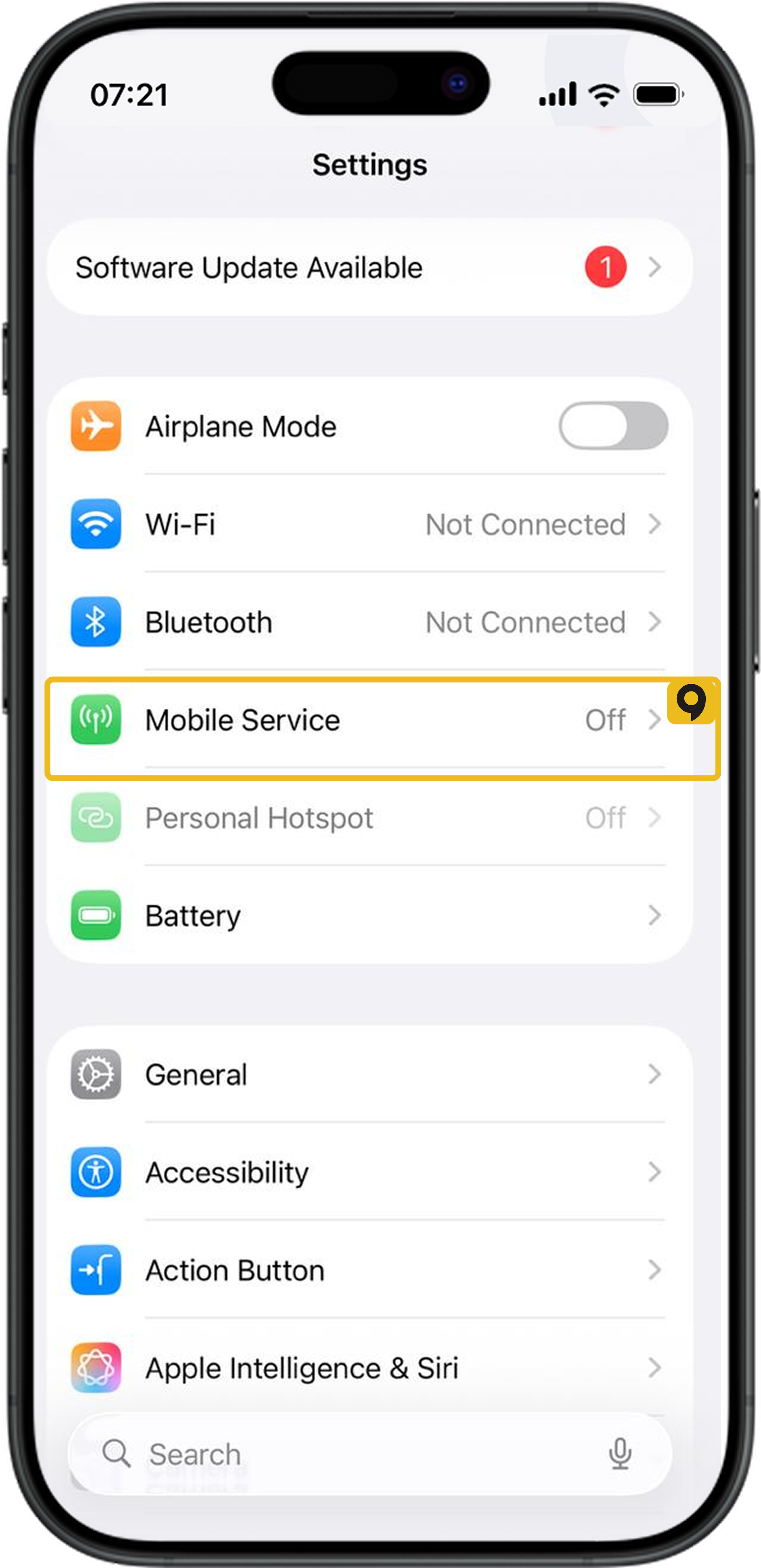
1. Open Settings > Cellular (or Mobile Data in some regions).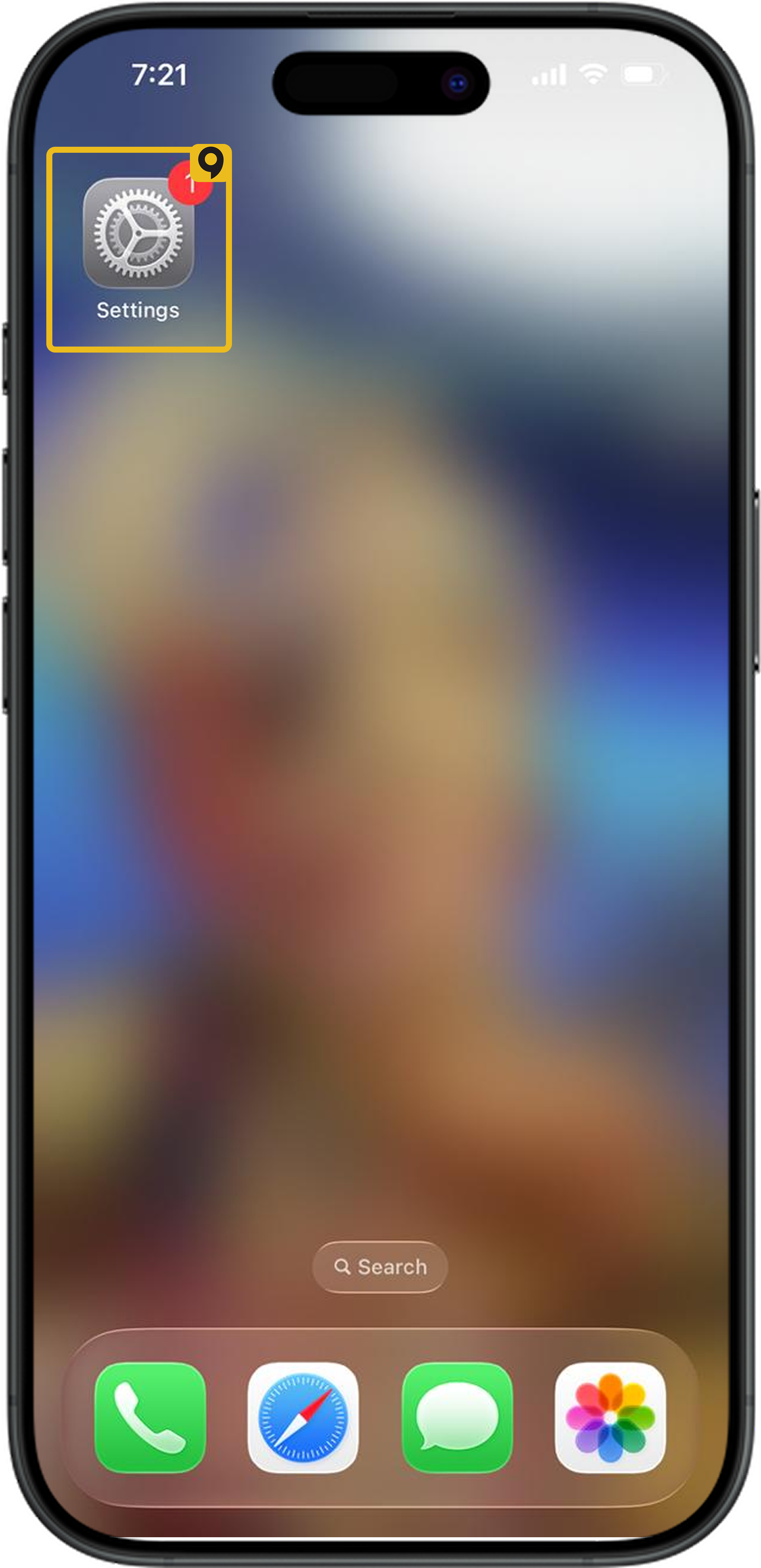
2. Tap Cellular Data at the top and select the eSIM plan for data usage.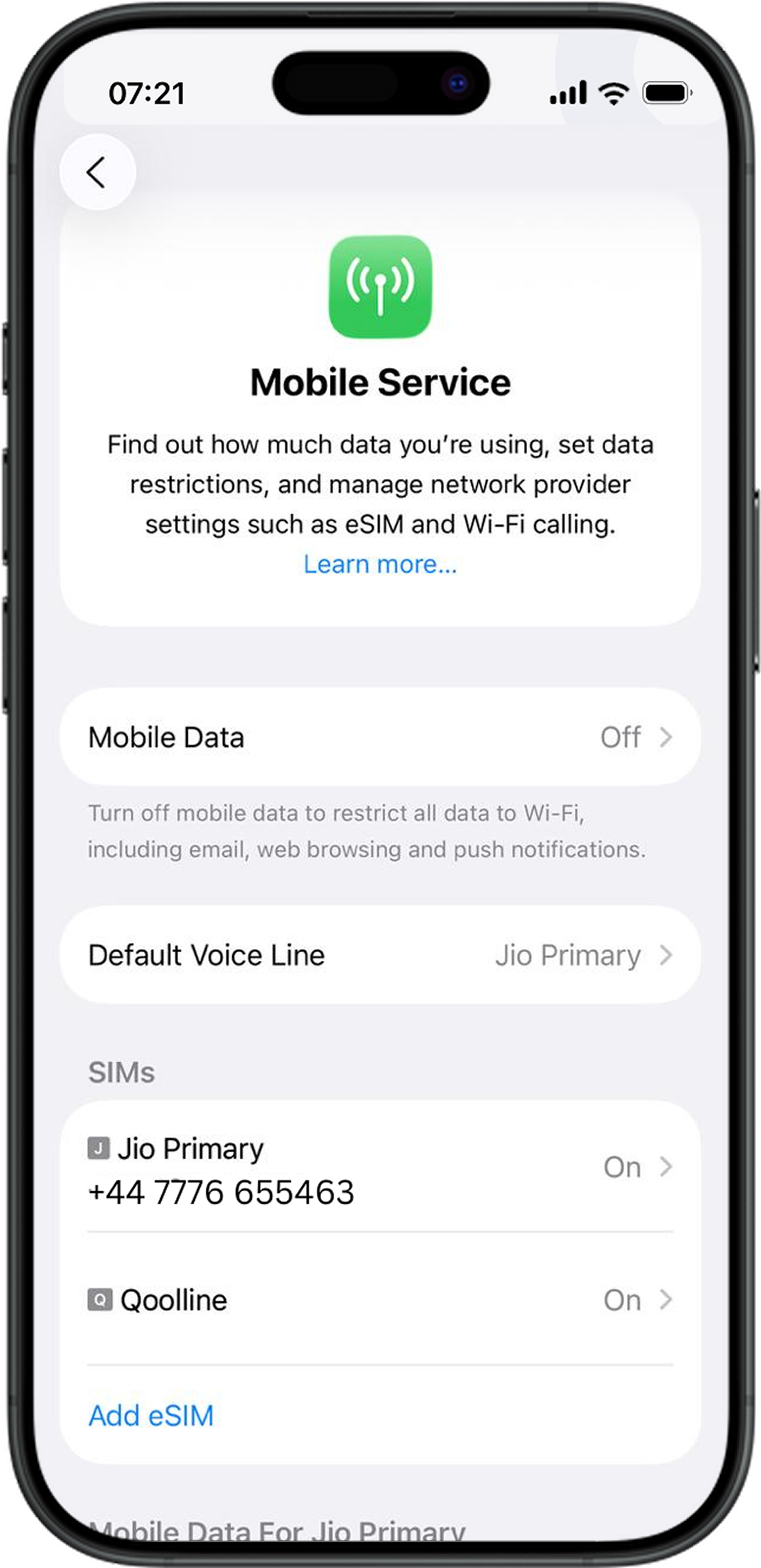
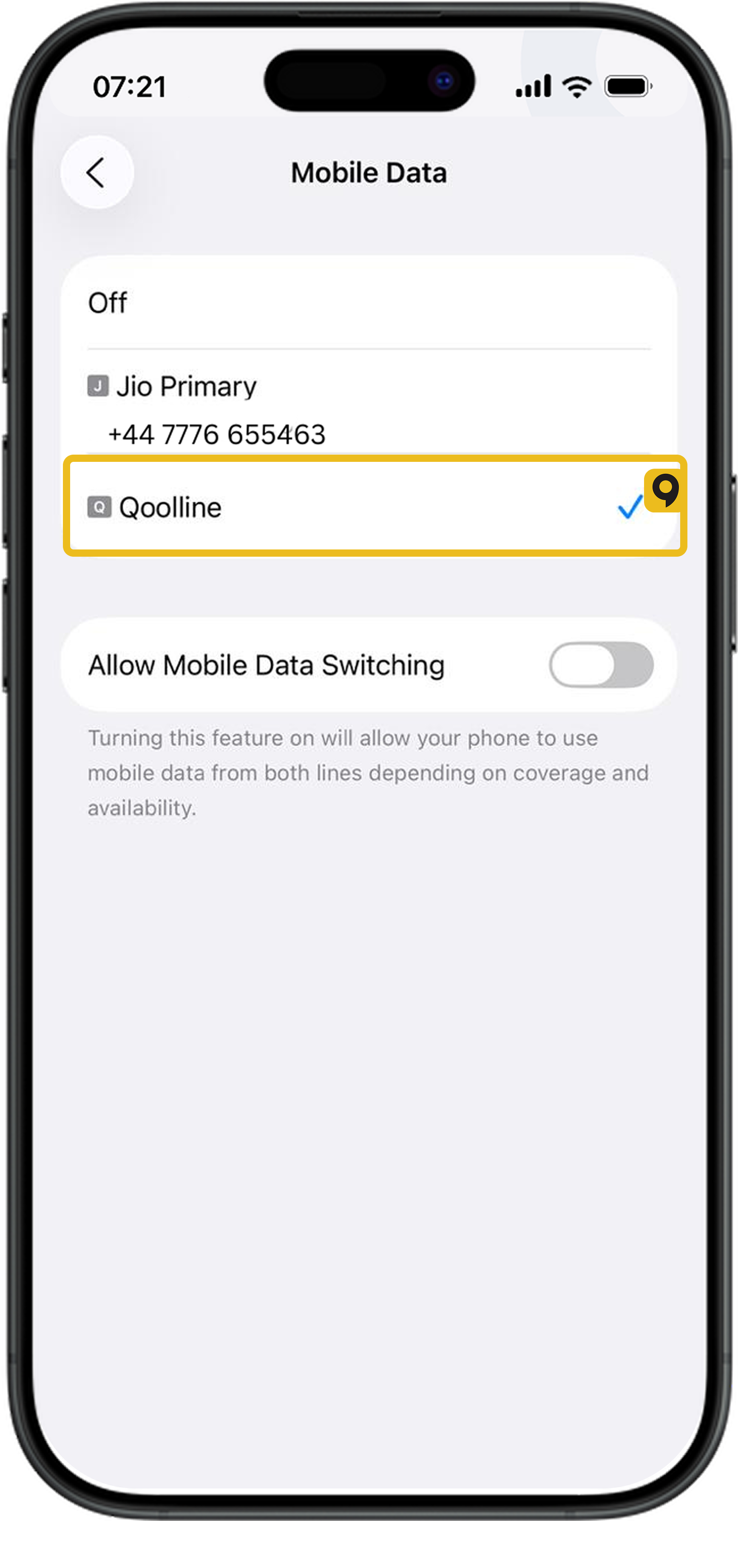
3. Go back to Cellular (or Mobile Data).
4. Scroll down and tap your eSIM plan (it might be labeled Personal, Travel, or Secondary).
5. Ensure “Turn On This Line” is enabled (toggle ON).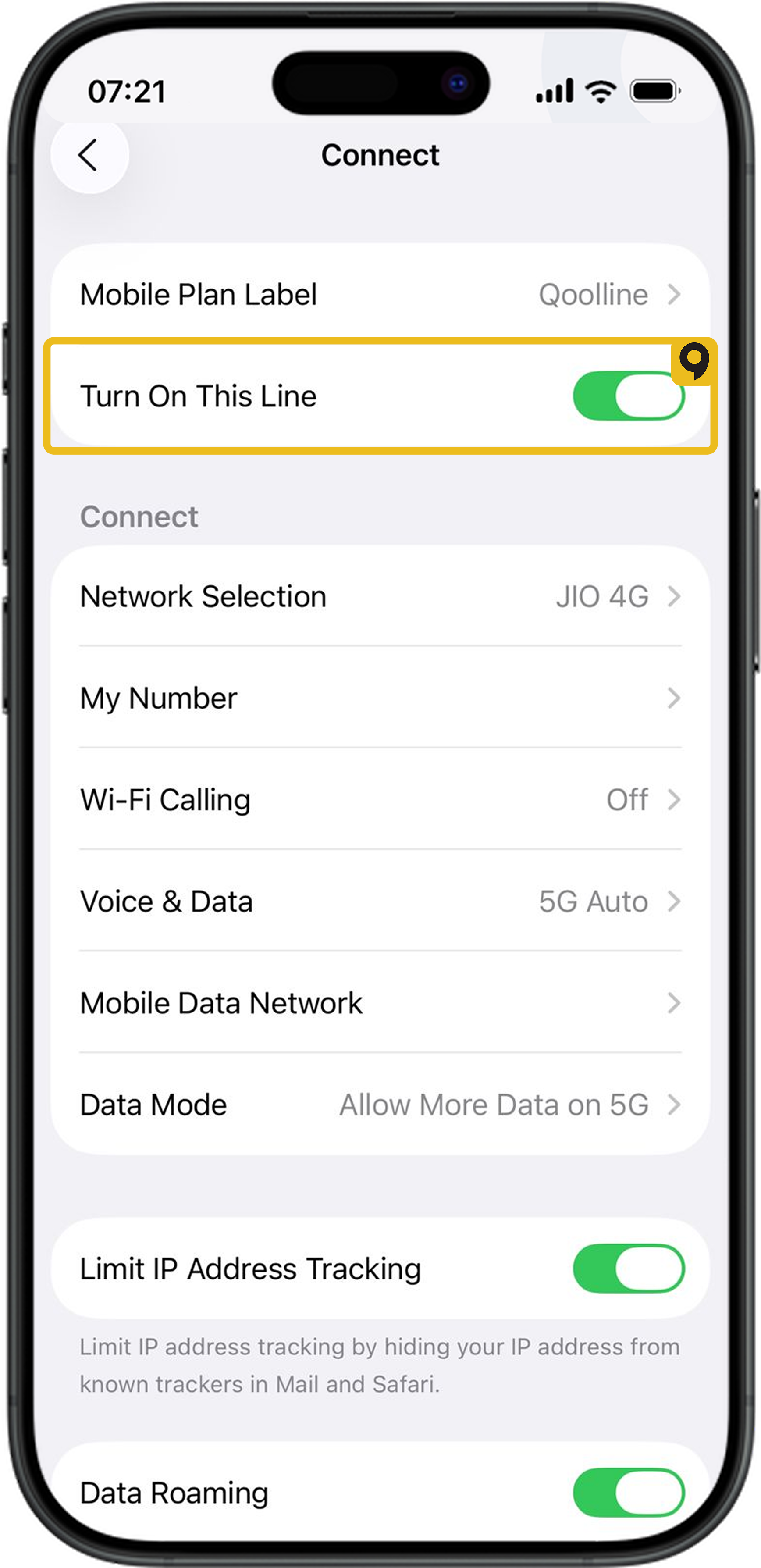
6. Make sure Data Roaming is enabled.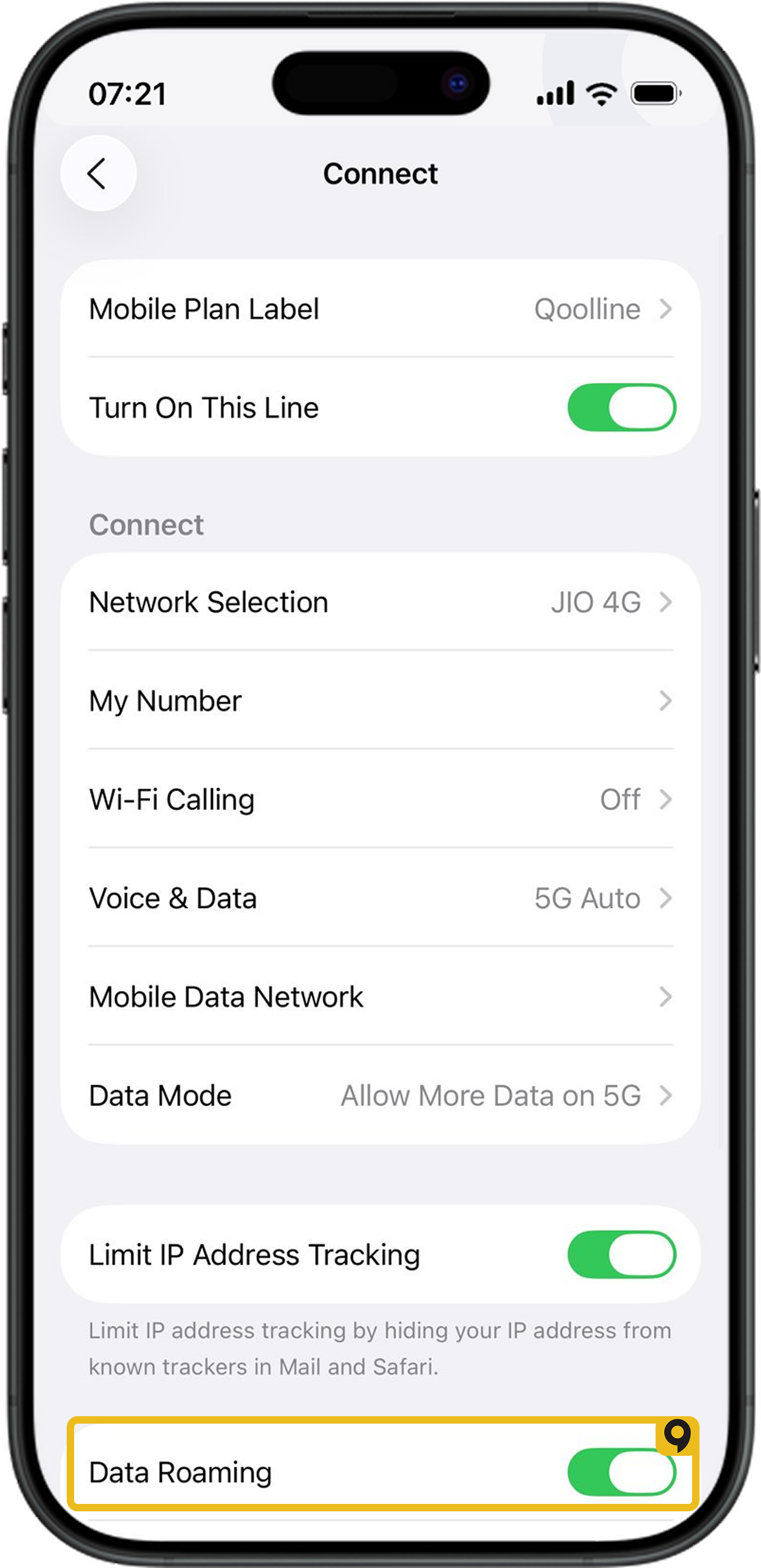
What If the eSIM Is Installed?
If you confirm that the Qoolline eSIM is installed and the settings are correct, no further action is required. Your eSIM will connect automatically once you arrive at your destination and the network is detected.
If the issue persists or you need additional help, please contact Qoolline support for further assistance.
Experiencing "Cellular Plans Cannot be Added" Error on Qoolline eSIM? Here’s How to Fix It

Learn how to resolve the "Cellular Plans From This Carrier Cannot be Added" error on your iPhone with simple troubleshooting steps for your Qoolline eSIM.
Quick Fix for 'Unable to Complete Cellular Plan Change' Error on Qoolline eSIM
Learn how to resolve the "Unable to Complete Cellular Plan Change" error for your Qoolline eSIM on iOS with quick, effective troubleshooting steps.
"This Code is No Longer Valid" Error: Quick Solutions for Qoolline eSIM Setup
Learn how to troubleshoot and fix the "This code is no longer valid" error when adding a Qoolline eSIM, with easy steps to ensure a smooth setup.